
Know where your AI work stands.
Each piece of work keeps its brief, its plan and each AI tool’s part in it, so you can see what’s done, what’s left and what needs you.
The Notice app, with a made-up example. A Work item called Launch the Teams plan has a plan in three stages. In the current stage, Build the launch pieces, Codex has seat billing, Claude has the pricing page copy, Claude Code has the changelog and help articles, and the owner has the launch email, which waits on Legal. Claude Code finishes its part in its own terminal and reports it done to Notice, and it shows as reported, not verified. The owner opens it and verifies it, while Claude asks a question about the pricing page from its own chat. Then the owner asks Notice to give the sales deck update to Claude and move the launch email to launch day, and Notice changes the plan and says what it changed.

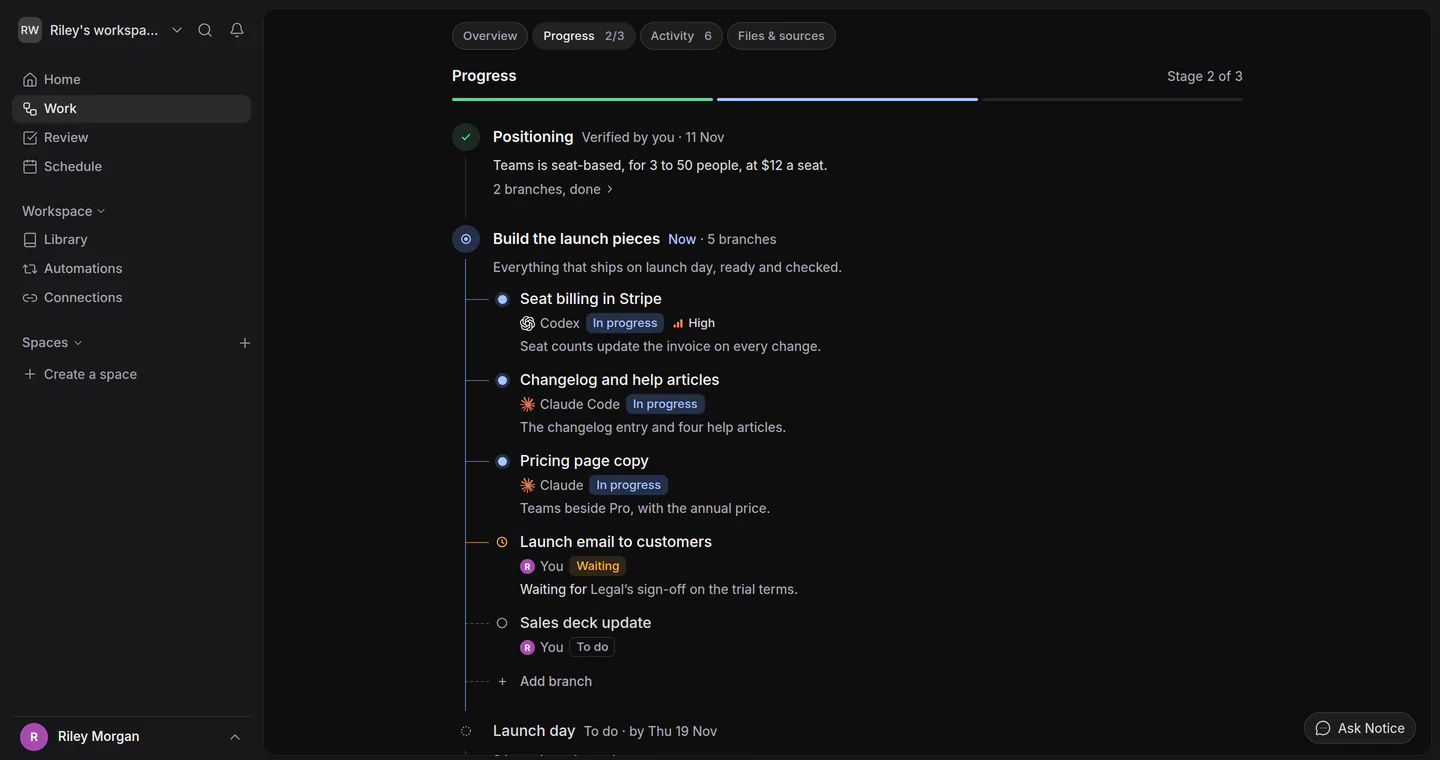

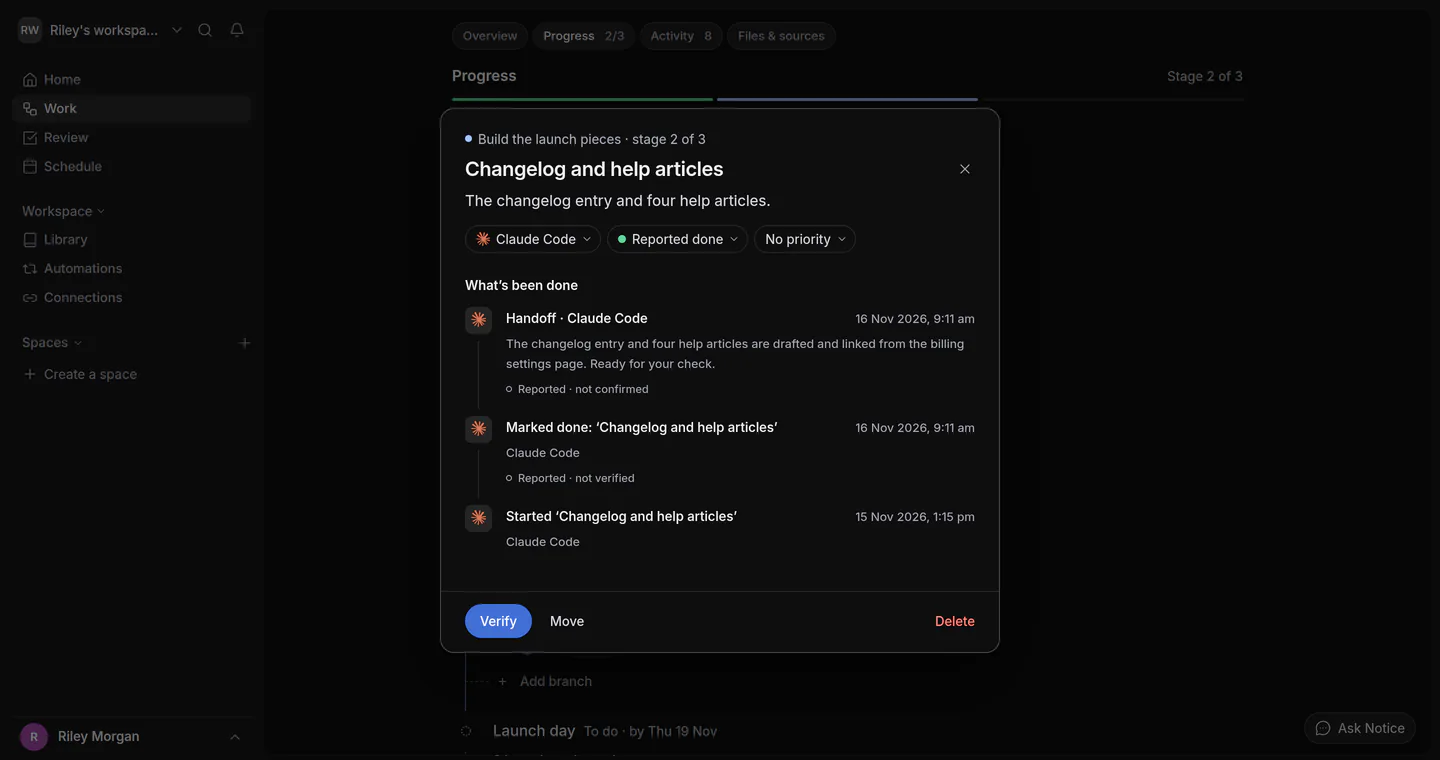


The Notice app, with a made-up example.
One page for each piece of work
The brief, the plan and what happened, in one place
Every Work item has the same four views, so you, Notice and your AI tools work from the same page instead of a chat.
- OverviewThe brief, what counts as done, and what needs you now.
- ProgressThe stages, the lines of work in each, and who has them.
- ActivityWhat happened, who did it, and what the tools posted.
- Files & sourcesWhat the work uses, and what it made.
Overview
The brief stays yours
Overview holds what you asked for, what counts as done, the limits and what’s still open. When an AI tool suggests a new brief, it waits beside yours until you include it or keep your own.

AI tools
Your AI tools sign in and work under their own names
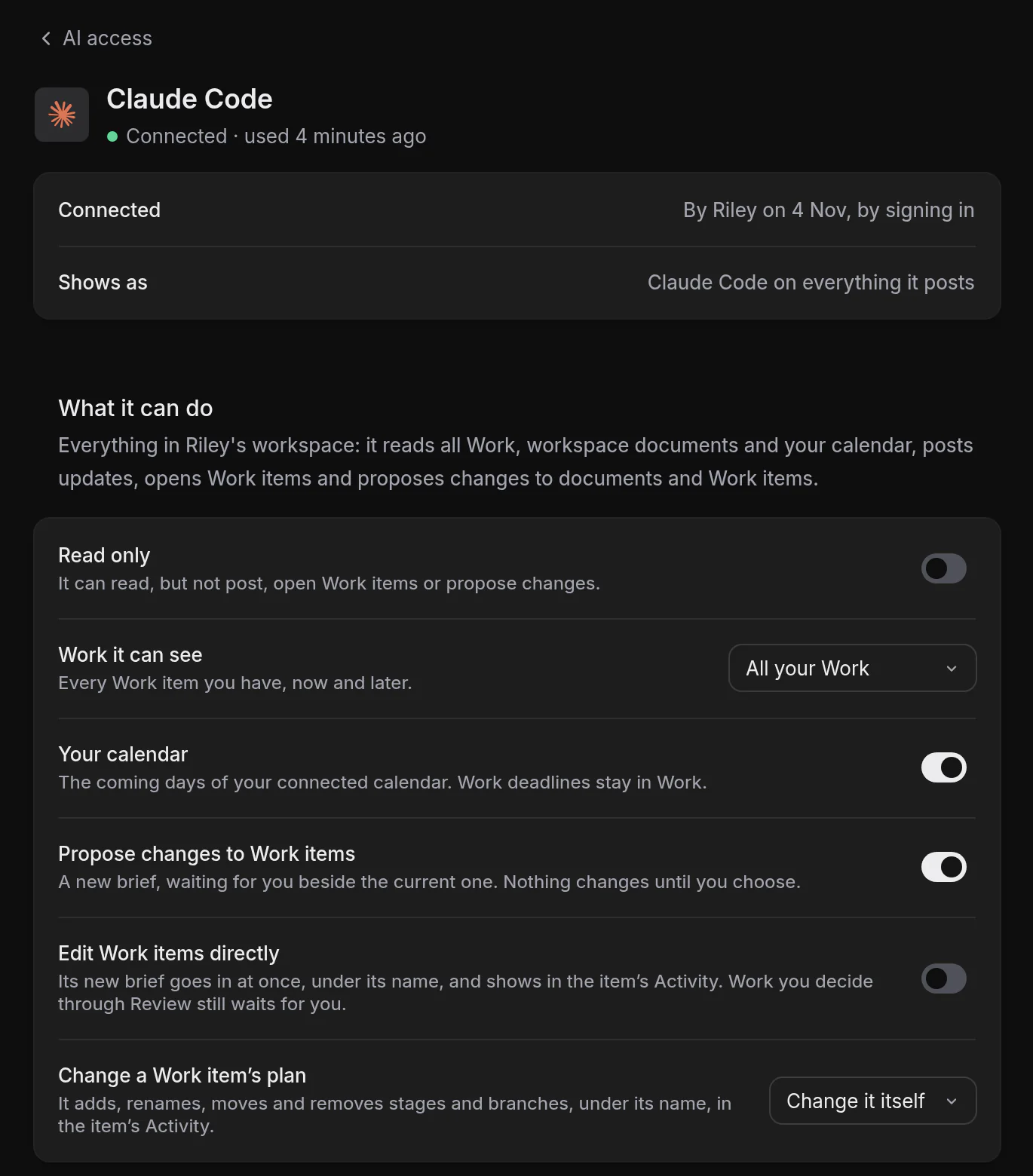
Claude, ChatGPT, Claude Code, Codex and Cursor connect by signing in with Notice. A connected tool reads your Work, workspace documents and calendar unless you limit it, but never your private files or saved outputs, and your chats with Notice only if you turn them on. It posts what it finds, opens Work items and suggests changes, each under its own name.
-
You set the limits
Read only, chosen Work items, and whether a tool may change a plan itself, ask you first or not at all.
-
Reported, not verified
What a tool posts is marked as reported. A part it says is done waits for you to verify it.
-
Withdraw it any time
It stops at once. What it posted stays in Activity.
Home, Review and Schedule
What needs you, without asking
Home, Review and Schedule each answer one question, with the reason beside it.
Home
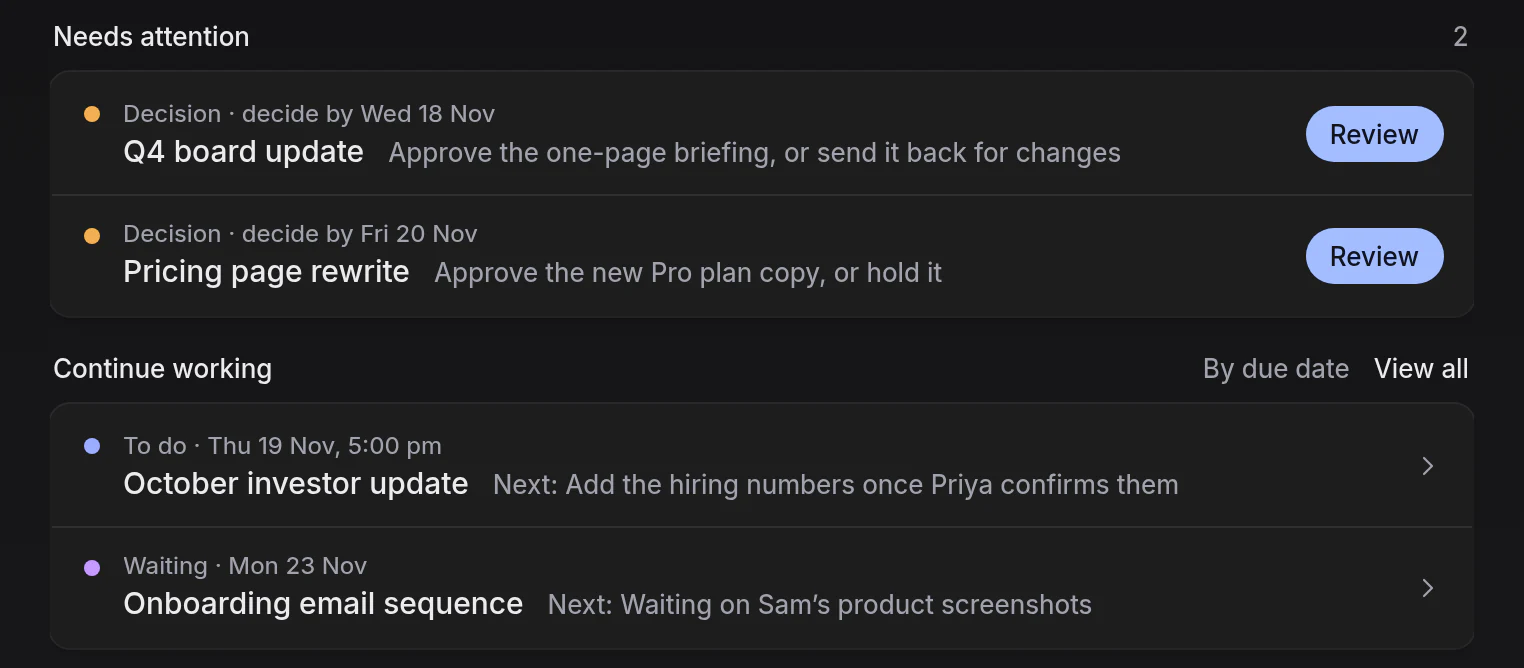
Decisions first, then the rest by date
What’s waiting on your decision comes first. Everything else follows by due date, each with its next step.
Review
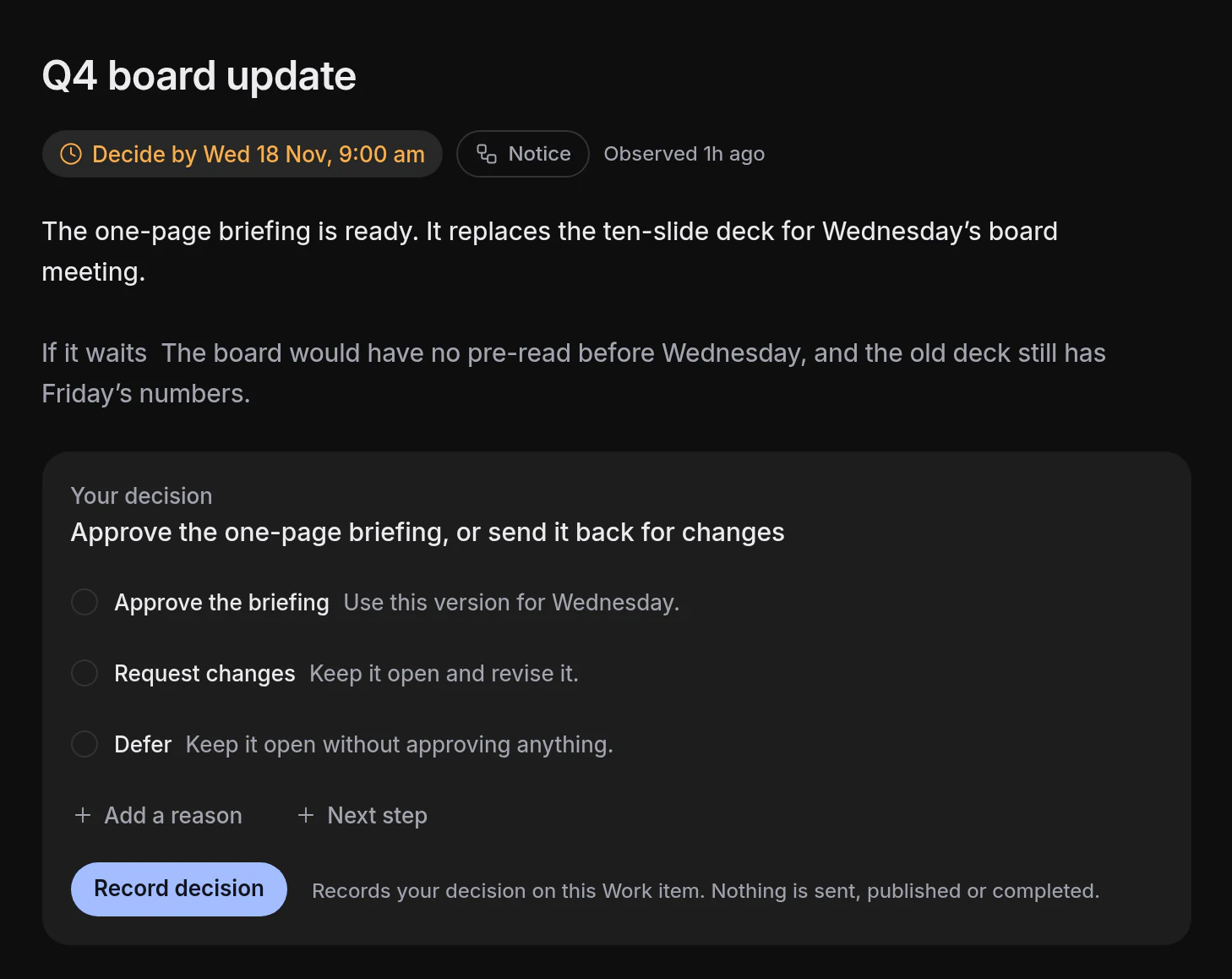
One decision, with the evidence beside it
The issue, what happens if it waits, and exactly what you’re agreeing to.
Schedule
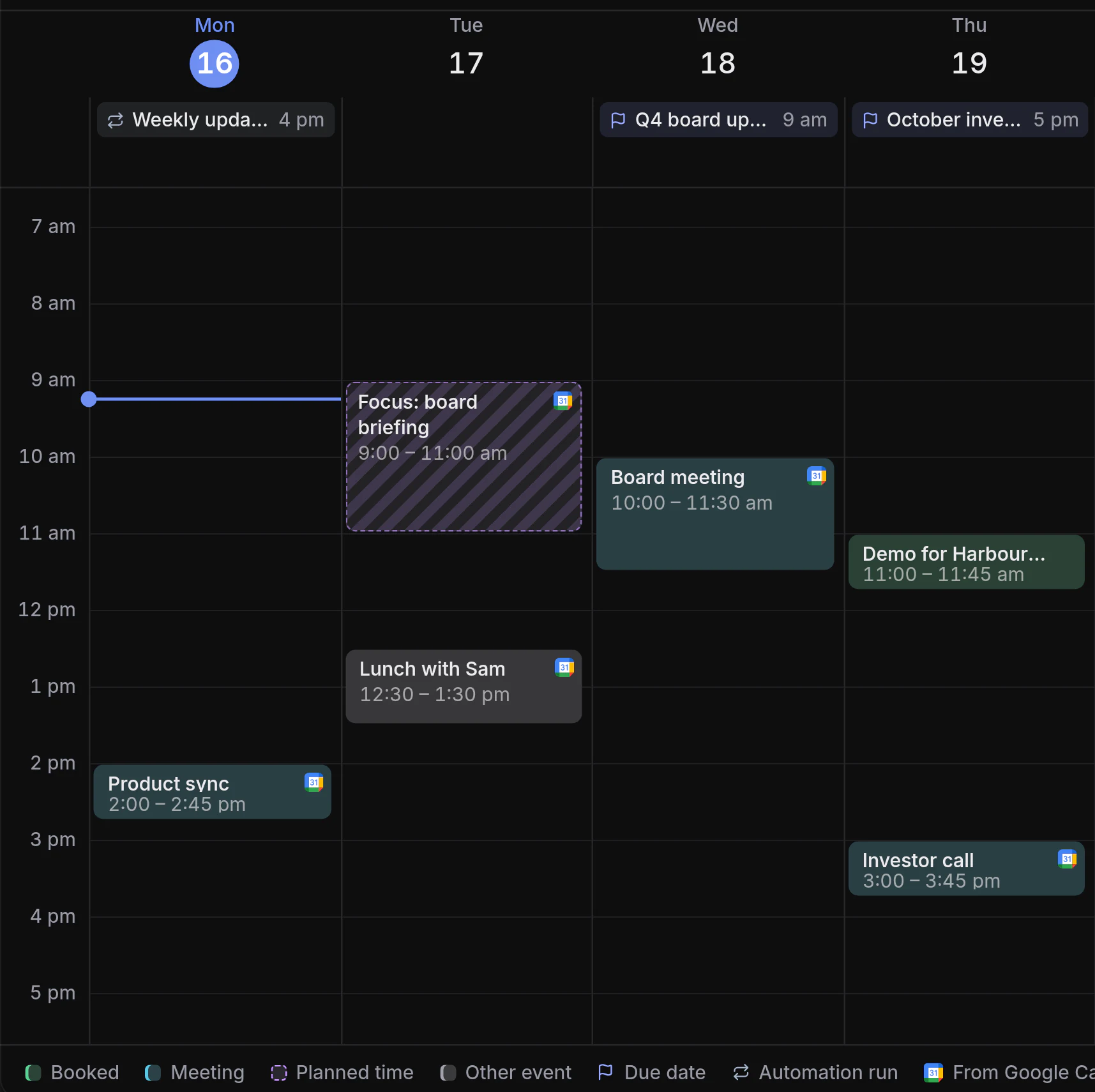
Deadlines aren’t meetings
Deadlines, meetings and time you’ve set aside, each shown for what it is.
What done means
Clear about what’s actually done
A confident reply isn’t proof. Notice keeps reported, suggested and decided apart.
-
Reported isn’t verified
When an AI tool says its part is done, it shows as reported until you verify it.
-
Suggested isn’t accepted
A tool’s new brief waits beside yours until you choose.
-
Deciding isn’t sending
Recording a decision doesn’t send, publish or finish anything.
Questions
Is Notice another AI chat app?
No. You can chat with Notice, but each piece of work lives on its own page: the brief, the plan, what happened and its files.
Which AI tools work with Notice?
Claude, ChatGPT, Claude Code, Codex and Cursor connect by signing in with Notice. Scripts and other tools can connect with a key.
What can a connected AI tool do?
Unless you limit it, it reads your Work, workspace documents and calendar, posts updates, opens Work items and suggests changes to a brief, each under its own name. You can make it read only, limit it to chosen Work items, let it edit briefs directly, and choose whether it may change a plan. It never sees your private files or saved outputs, and sees your chats with Notice only if you turn them on for it.
Can Notice change my work?
When you ask in chat. It changes what you asked for, such as the plan, a due date or the next step, and says what it changed. Changes to a plan, a status or a due date come with Undo. It verifies work only when you say so, and marks an item done once every stage of its plan is verified. It accepts or dismisses a suggestion when you say so, and you can take either back.
Do my AI tools need Notice open?
No. Tools like Claude Code and Codex work in their own apps and post back to the Work item when they have something to report.
Who is Notice for?
People who use AI heavily in their work, whether they’re building a product or running a business, and who are tired of re-explaining and re-checking.
Start with one piece of work
Describe it to Notice in a sentence, or add it by hand.